
Orthodontic 3D Printer + AI: How Practices Cut Remakes and Turnaround Time
.png)
Why Remakes and Delays Cost Orthodontic Practices More Than They Realize
3D printing has opened the door to faster, more flexible orthodontic workflows, but speed alone is not the real advantage. More importantly, for orthodontic practices, the bigger opportunity is reducing remakes, avoiding preventable delays, and creating a more reliable path from scan to production. An orthodontic 3D printer can support that goal, but only when it is part of a connected workflow.
Too often, turnaround time is lost before a file is ever printed. Missing case details, manual prescription steps, disconnected communication, and repeated corrections can all slow production and create extra work for staff. Fortunately, with the right combination of AI and orthodontic 3D printing software, practices can catch issues earlier, improve case consistency, and move cases forward with fewer bottlenecks.
That translates into real day-to-day benefits: less rework, better case visibility, and a smoother experience for the team managing submissions and production. To understand how these improvements are possible, this article breaks down how orthodontic practices can use 3D printing and AI together to cut remakes and improve turnaround time.
What an Orthodontic 3D Printer Workflow Actually Looks Like
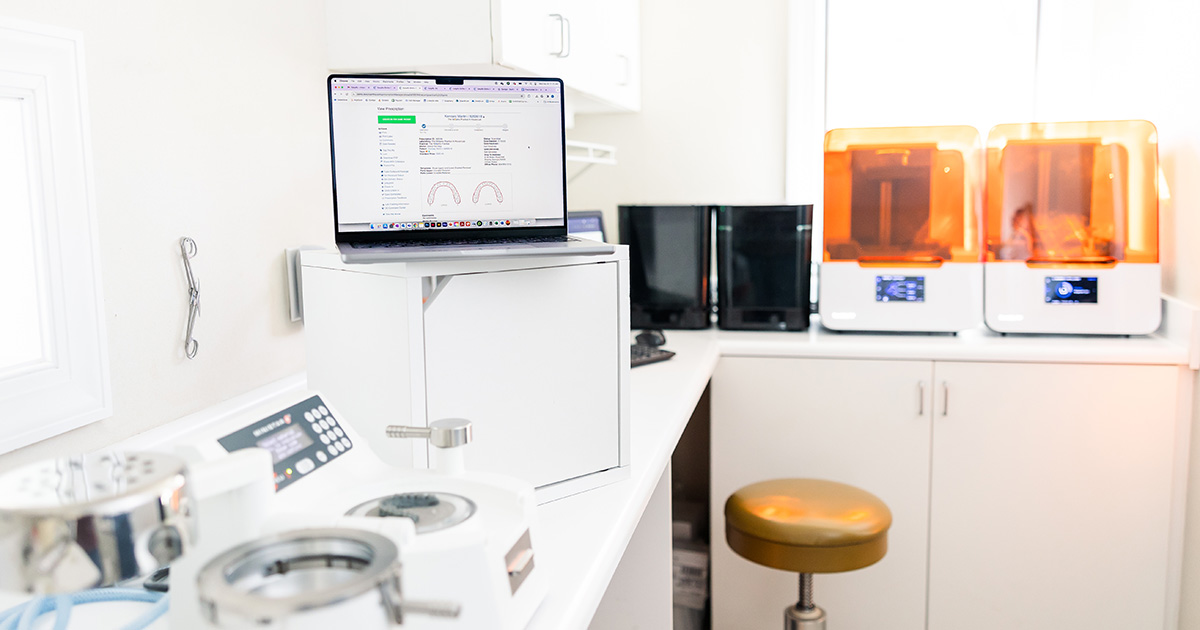
For many orthodontic practices, 3D printing can seem more complex than it really is. The workflow typically follows these steps: first, a case is submitted, often starting with a digital scan; next, staff add treatment details and case requirements; then, the case data is reviewed and communicated to the lab or production team. When the right systems are in place, teams can advance cases with fewer manual handoffs, fewer missed details, and less rework before production begins.
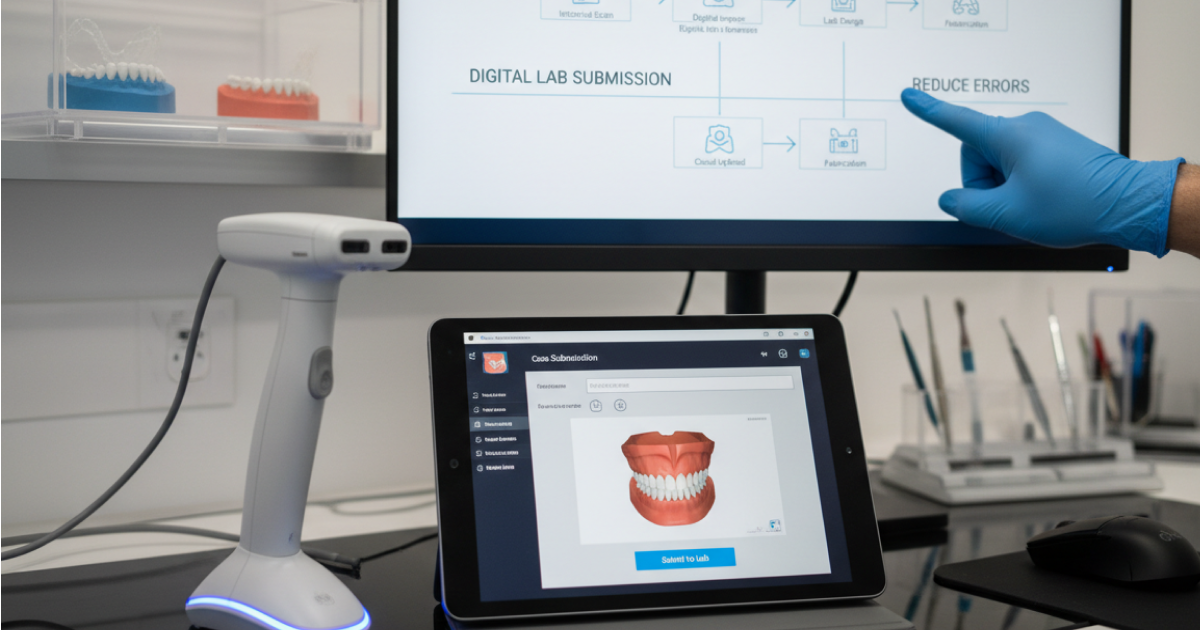
An orthodontic 3D printer workflow generally comprises: capturing a digital scan, recording all necessary case details, entering complete prescriptions, and preparing files so communication aligns among the practice, lab, and production team. AI and workflow software add value by ensuring submissions are standardized and that errors are reduced or caught early, helping files become ready for production more efficiently.
A connected in-house lab workflow helps orthodontic teams move cases forward more efficiently, while reducing the friction that slows turnaround and creates extra work for staff.
Where Orthodontic Practices Commonly Lose Time in 3D Printing Workflows
In many cases, turnaround delays start long before a file reaches production. Small workflow gaps can create extra back-and-forth, slow approvals, and increase the risk of rework.
Common time-loss points include:
- Incomplete prescriptions: Missing details or unclear instructions can delay review and require follow-up before production can begin.
- Disconnected systems: When scans, prescriptions, and communication live in separate places, teams spend more time piecing case information together.
- Manual tracking and follow-up: Checking status updates by hand adds extra steps and makes it harder to keep cases moving efficiently.
- Repeated corrections after submission: Every correction cycle adds time, creates more work for staff, and increases the chance of turnaround delays.
The more connected and standardized the workflow is, the easier it becomes to reduce these slowdowns before they affect production.
What to Look for in Orthodontic 3D Printing Software
Why an Orthodontic 3D Printer Alone Is Not Enough
An orthodontic 3D printer can support faster production, but hardware alone does not solve the workflow issues that lead to remakes and delays. If case details are incomplete, prescriptions are inconsistent, or communication breaks down before production starts, a printer cannot fix those problems on its own.
That is the difference between owning a printer and running an efficient digital workflow.
- The printer handles output, but the workflow determines whether the case reaches production accurately and on time.
- Without a connected process, practices can still lose time to rework, manual follow-up, and repeated corrections.
That is why orthodontic practices need more than hardware. They also need software integrations, automation, and strong lab coordination to help standardize submissions, improve visibility, and reduce avoidable errors before cases go to print.
The real value comes from combining the printer with a workflow that helps the entire team work more efficiently.
How EasyRx Supports Faster, More Accurate Orthodontic 3D Printing Workflows
EasyRx helps orthodontic practices improve more than just production speed. It supports a more connected workflow that makes case submission clearer, communication smoother, and day-to-day case management easier for staff.
Key ways EasyRx supports orthodontic 3D printing workflows include:
- Centralized prescription and case management: Teams can manage case details in one place, helping reduce missed information and keep submissions more organized.
- Better communication with labs: Clearer digital case handoffs help reduce back-and-forth and make it easier to move cases forward.
- Fewer avoidable errors before production: A more standardized workflow helps catch issues earlier, before they lead to delays, rework, or remakes.
- A more connected workflow for practices and staff: EasyRx helps bring together the people, case details, and process steps involved in moving cases from scan to production.
For orthodontic practices, that means a workflow that is easier to manage, more consistent across the team, and better equipped to support faster turnaround with fewer avoidable disruptions.


.svg)
.svg)

.svg)
.svg)