
Connect Your Orthodontic Workflow with EasyRx Integrations
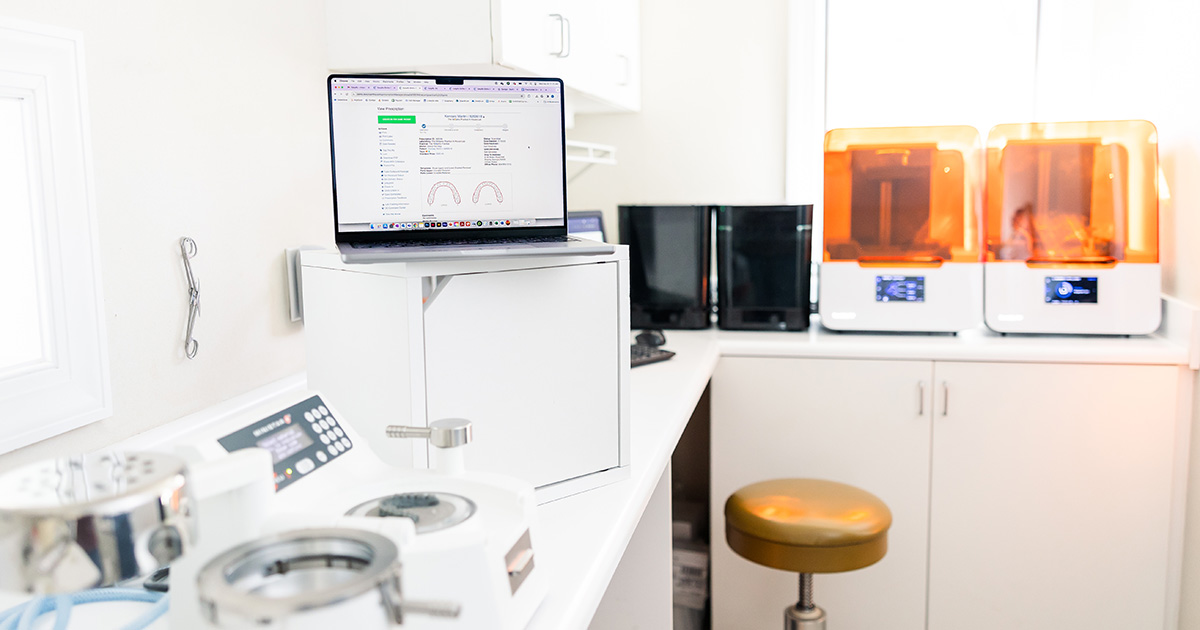
An orthodontic case can be digital from beginning to end and still require a surprising amount of manual work.
Consider what happens after a patient is scanned. A team member may need to locate the correct file, confirm the patient informatio-n, download the scan, sign in to a lab portal, create the prescription, upload supporting materials, and verify that everything was received. Later, someone must return to that portal, send an email, or call the lab to find out where the case stands.
Every tool involved may technically be “digital.” But when those tools do not share information or support a consistent process, the practice gains new technology without eliminating the work between each step.
That hidden work matters. Every repeated entry creates another opportunity for error. Every download and upload introduces the possibility of attaching the wrong file. Every separate portal forces staff to remember a different process. Every missing scan, incomplete prescription, or delayed status update can affect production schedules, appointment timing, and the patient experience.
In a disconnected environment, staff members become the integration. They carry information from one system to another and hold the workflow together through memory, workarounds, spreadsheets, and follow-up.
EasyRx is designed to reduce that burden with orthodontic software integrations that connect the systems, files, labs, and production tools involved in an orthodontic case.
How Orthodontic Software Integrations Create a Connected Workflow
Orthodontic software integrations connect the systems involved in patient data, scanning, prescriptions, lab management, case tracking, and production so information can move through the case with fewer manual handoffs. A connected workflow is not defined by the number of integrations a platform offers. It is defined by how much unnecessary work those integrations remove.
With EasyRx Practice, patient information can enter the prescription workflow from the practice management system. Available scan files can be associated with the patient and prescription. The team can create and submit a digital prescription to a commercial or in-house lab, monitor the case as it moves through production, and maintain visibility through delivery.
When the practice produces appliances internally, STL files can continue into model preparation and 3D printing rather than being separated into another file-management process.
The workflow may include:
- Bringing existing patient information into EasyRx
- Connecting a scan to the correct patient and prescription
- Creating lab, clear-aligner, and digital prescriptions consistently
- Submitting cases to one or multiple commercial labs
- Managing prescriptions sent to an in-house lab
- Monitoring cases after submission
- Preparing STL files for 3D production
- Tracking appliances through receipt and patient delivery
The result is more than convenient data sharing. It is a clearer path from the clinical decision to the completed appliance.
That distinction matters because integration should not merely help two systems communicate. It should reduce the number of times a staff member has to stop, search, re-enter, verify, and follow up.
Explore EasyRx’s integrations and partners to see the practice management systems, scanners, printers, and other solutions currently supported.
Connect Practice Management Software to Your Orthodontic Workflow
Patient information already exists in the practice management system. Requiring staff to enter it again adds work without adding value.
Manual re-entry can also create discrepancies between systems. A misspelled name, incorrect birth date, outdated provider, or incomplete identifier may seem minor at the time of entry, but it can make files harder to match and cases more difficult to track later.
EasyRx integrates with leading orthodontic practice management systems so existing patient information can be brought into the prescription workflow. Current connections include Cloud9 Ortho, CS OrthoTrac, Dolphin Management, Eaglesoft, Focus Ortho, MaxiDent, Oasys Ortho, Ortho 2 Edge, Tops, and Wave Ortho.
This helps practices:
- Reduce duplicate data entry
- Create prescriptions more efficiently
- Improve consistency across patient and case records
- Lower the risk of transcription errors
- Give staff a repeatable starting point for each case
The larger benefit is workflow reliability. When every prescription starts with information from an established source, staff spend less time confirming basic details and are less likely to discover inconsistencies after a case has already been submitted.
For growing practices, that consistency becomes even more valuable. A process that depends on an experienced team member knowing which information to copy, where to enter it, and how to name each file may work at a small scale. It becomes harder to maintain as case volume, locations, providers, and staff responsibilities increase.
A connected starting point creates a process that is easier to teach, repeat, and scale.
Connect Intraoral Scanners and Prescriptions in One Workflow
Completing an intraoral scan should move the case closer to production. In a disconnected workflow, it can create a new administrative assignment instead.
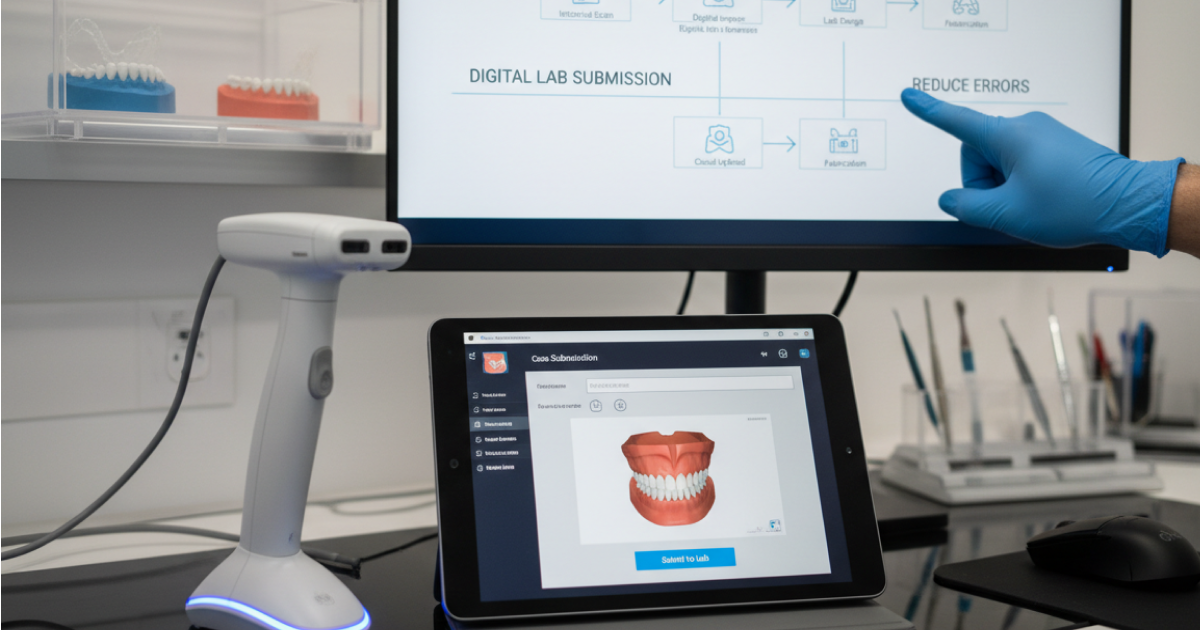
The scan may be stored in the scanner’s software while the prescription is created in another platform. A team member then has to identify the file, download it, rename it, locate the correct patient, upload it again, and confirm that the lab received the prescription and scan together.
None of those steps improve the appliance. They simply compensate for the distance between two systems.
EasyRx connects with scanner and planning solutions including iTero, Medit, Ortho Analyzer, Planmeca, AlliedStar, DEXIS, and 3DISC. Available scan files can be brought into EasyRx and associated with the corresponding prescription.
This can help teams:
- Attach scans directly to the appropriate case
- Reduce manual downloading and uploading
- Create a prescription from the scan workflow
- Identify scans that have not been associated with a case
- Keep the prescription and supporting files together
- Reduce uncertainty about whether a lab received everything it needs
The Scanner Dashboard also gives teams a centralized place to review recent scans and identify those that still require action.
.png)
This visibility addresses a common but costly gap: the scan-without-a-prescription problem.
A scan can be completed successfully but still sit idle because the next administrative step was missed. Without a central view, the practice may not recognize the issue until someone checks manually, the lab asks for the missing prescription, or an upcoming appointment exposes the delay.
By keeping the scan and prescription within the same workflow, EasyRx helps the team see not only what has been completed, but what still needs to happen.
Connect Multiple Orthodontic Labs Through One Workflow
Working with multiple labs gives a practice flexibility. It can also create multiple versions of the same process.
One lab may require its own portal. Another may accept emailed files. A third may use a different prescription format. Staff members must remember where each case was submitted, how supporting files were sent, and where to look for updates.
The more labs a practice uses, the more fragmented the workflow can become.
EasyRx allows practices to create and submit digital prescriptions to commercial labs through one consistent environment. Practices can invite commercial labs to receive EasyRx cases rather than limiting the workflow to a single lab network.
That matters because the practice can choose a lab based on the needs of the case rather than the limitations of its software.
A connected lab workflow can help staff:
- Use a consistent prescription process across lab relationships
- Submit supporting files with the prescription
- Manage cases sent to multiple commercial labs
- Reduce dependence on separate usernames and portals
- Keep case information organized by patient
- Communicate securely with labs
- Maintain visibility after submission
EasyRx does not require the practice to standardize on one lab. It helps standardize the way the practice works with its labs.
That is a more useful form of consistency. Staff members do not need to learn a completely different administrative process whenever the destination changes.
Connect Commercial and In-House Lab Management
Bringing appliance production in-house can give a practice greater control over timelines, customization, and production priorities. But it also makes the practice responsible for work that was previously managed by a commercial lab.
Files must be prepared. Tasks must be assigned. Production stages must be monitored. Finished appliances must be matched to the correct patient and appointment. Materials, remakes, and turnaround times may also need to be tracked.
Without a dedicated system, an in-house lab can quickly become dependent on folders, spreadsheets, notes, and individual staff members’ knowledge.
EasyRx extends the prescription workflow into in-house production with dedicated lab management capabilities. The EasyRx platform brings together prescriptions, supporting files, case tracking, and 3D workflows rather than treating the in-house lab as a separate operation.
What Makes EasyRx Different?
EasyRx does not stop at connecting a practice to one scanner or one commercial lab. It connects patient information, scans, prescriptions, commercial lab relationships, in-house production, case tracking, STL preparation, and 3D printing within one cloud-based environment.
EasyRx also positions its platform as the only fully integrated solution built to connect practices and labs, while its lab offering combines lab management, digital workflow, and a practice-facing prescription platform. Any final competitive “only” claim should still be confirmed with Product before publication.
This broader workflow is important for practices using both outsourced and in-house production. Staff can manage each case based on where and how it will be produced without abandoning the central prescription and tracking process.
For a deeper look at organizing internal production, read 4 Steps to Manage Your Orthodontic In-House Lab Efficiently.
Extend Your Orthodontic Workflow Into 3D Production
A scanner produces a digital file, but a raw STL file is not necessarily ready to print.
Models may need to be reviewed, trimmed, based, labeled, oriented, and organized before production. When those tasks require separate software and local file storage, the team must once again move the case out of its primary workflow.
That creates many of the same problems integration was meant to solve:
- Files stored in multiple locations
- Inconsistent naming conventions
- Uncertainty about which version is current
- Reliance on one staff member who knows the editing software
- Limited visibility into what is ready to print
- Difficulty connecting production work to the patient’s case
EasyRx 3D allows teams to view and edit STL files in the browser using both user-controlled and AI-powered tools. Practices can trim, base, and label models, prepare files for printing, and manage production tasks through the 3D Command Center. EasyRx describes these capabilities as part of a broader workflow that includes prescription management, STL files, in-house fabrication, and supported printer connections.
Current printer connections listed by EasyRx include EnvisionTEC Perfactory, Form 2, Miicraft, MoonRay RayWare, NextDent 3D Sprint, Voxel Dental, UNIZ, RAYSHAPE, and FlashForge.
Suggested Product Image: EasyRx 3D Command Center
The value is not simply that EasyRx can edit a model. It is that model preparation remains connected to the prescription and production workflow.
That connection makes it easier to answer practical questions:
- Has the file been prepared?
- Which model is ready to print?
- Is a revision still needed?
- Which patient and prescription does the model belong to?
- What needs to be completed next?
- Is production on schedule for the patient’s appointment?
An integrated 3D workflow turns a collection of files into a manageable production process.
Track Orthodontic Cases After Lab Submission
“Submitted” is an action, not an outcome.
Once a prescription is sent, the practice still needs to know whether the lab received all required materials, whether the case has entered production, whether questions are holding it up, and whether the appliance will arrive before the scheduled appointment.
When that information is scattered across portals, inboxes, shipping sites, and staff notes, the practice has no dependable view of the case.
EasyRx provides one place to manage and track lab, clear-aligner, and digital prescriptions. The platform is designed to connect practices and labs through digital prescriptions, attached files, secure communication, and case tracking.
Teams can use a connected workflow to:
- Monitor prescription status
- Confirm that scans and supporting files are attached
- Communicate securely with commercial or in-house labs
- Track cases as they move through production
- Record when appliances are received
- Record when appliances are delivered to patients
- Connect shipping activity through FedEx and UPS relationships
This visibility helps the practice move from reactive follow-up to proactive case management.
Instead of discovering a problem when the patient is already on the schedule, staff can identify cases that are missing information, awaiting action, or at risk of delay.
That matters beyond administrative efficiency. A delayed appliance can require an appointment to be moved, extend treatment timing, create additional communication for the front desk, and weaken the patient’s confidence in the practice.
Better case visibility gives the team more time to intervene before an internal workflow issue becomes a patient-facing one.
What a Connected Orthodontic Workflow Changes
Integration is often discussed as a technical capability: System A connects to System B.
For the practice, the more meaningful question is what staff no longer have to do after that connection is in place.
Fewer Manual Handoffs
Patient information, scans, prescriptions, and supporting files can move through a connected process instead of being repeatedly downloaded, renamed, entered, emailed, and uploaded.
Each removed handoff saves time, but it also reduces dependence on memory and individual workarounds.
Fewer Missing Files and Preventable Delays
When the scan, prescription, patient information, and supporting materials remain connected, the team can more easily see whether a case is complete.
That makes it less likely that production will stall because one required item was stored elsewhere or never submitted.
Greater Case Visibility
A centralized workflow gives staff a clearer view of what has been created, submitted, received, prepared, printed, shipped, or delivered.
The team can focus on exceptions and next steps instead of reconstructing the history of every case.
More Consistent Staff Processes
A repeatable process is easier to teach and easier to follow.
Whether a case is sent to a commercial lab, produced in-house, or prepared for 3D printing, staff members can work from a familiar workflow rather than relying on lab-specific or device-specific processes.
Stronger Coordination Across Locations
Multi-location practices need more than digital access. They need consistent information and shared visibility.
A cloud-based workflow can make it easier for teams to understand case status without relying on paper notes, local files, or updates from one person at one location.
More Time for Higher-Value Work
Time spent locating files, re-entering data, checking portals, and requesting routine updates is time staff cannot use to support patients, coordinate schedules, or resolve more complex cases.
Integration helps shift the team’s attention from transporting information to acting on it.
A Workflow that can Grow with Your Practice
A practice may begin by digitizing prescriptions and improving case tracking. Later, it may add more scanners, expand its lab relationships, bring production in-house, introduce clear-aligner workflows, or invest in 3D printing.
EasyRx provides a foundation that can extend across those workflows rather than requiring the practice to build a separate process for each new capability.
Make Every Technology Connection Count
A practice should not have to replace every system it uses to create a more connected operation.
It should be able to make the technology, labs, and production tools it already relies on work together more effectively.
EasyRx offers a one-of-a-kind approach to orthodontic workflow management by connecting patient information, scans, prescriptions, commercial and in-house labs, case tracking, STL preparation, and 3D printing within one cloud-based platform.
The value of that connection appears in the moments staff members get back and the problems they can prevent:
- One less patient record to re-enter
- One less scan to download and upload
- One less portal to check
- One less missing file to track down
- One less production delay discovered too late
- One more case the team can move forward with confidence
Your practice already has digital tools. EasyRx helps turn them into a digital workflow.

.png)

.svg)
.svg)

.svg)
.svg)